Choosing the right Best Email App for Android can make a bigger difference than most people realize. Whether you’re replying to work emails, managing multiple accounts, or simply trying to keep your inbox organized, the app you use affects your productivity every day. While most Android phones come with a built-in email app, it may not always offer the features you need.
The good news is that Android gives you plenty of excellent alternatives. Some apps focus on speed and simplicity, while others prioritize privacy, smart organization, or business productivity. The challenge is deciding which one fits your needs without spending hours testing them all.
What Is the Best Email App for Android?
There isn’t a single answer that works for everyone because different users have different priorities. Some people want an app that works perfectly with Gmail, while others need advanced features like calendar integration, multiple account support, or end-to-end encryption.
The best email app for Android is the one that combines reliability, security, speed, and ease of use without making everyday tasks complicated. A good email app should help you read, organize, search, and respond to messages quickly while keeping your personal information secure.
Before choosing an app, consider these questions:
- Do you use Gmail, Outlook, or another email provider?
- Do you manage more than one email account?
- Is privacy your top priority?
- Do you need business features like calendar syncing and meeting scheduling?
- Would you benefit from smart tools that organize your inbox automatically?
Answering these questions will make it much easier to find the right app instead of downloading several options that don’t meet your expectations.
How We Chose the Best Email Apps
Not every email app deserves a place on this list. We selected these recommendations based on the features that matter most to Android users.
Easy to Use
An email app should feel simple from the moment you open it. Clean navigation, quick setup, and an intuitive interface save time and make daily email management much more enjoyable.
Strong Security
Email often contains sensitive information, so security is essential. We looked for apps that offer secure login options, spam protection, encryption where available, and regular updates.
Multiple Account Support
Many people use separate email addresses for work and personal communication. The best apps make it easy to manage several accounts from one place without constantly switching between apps.
Reliable Performance
Nobody enjoys slow loading times or delayed notifications. We prioritized apps that deliver messages quickly, sync reliably, and perform smoothly on most Android devices.
Helpful Features
Useful features such as smart search, customizable notifications, dark mode, swipe gestures, and inbox organization can make managing email much easier without adding unnecessary complexity.
Best Email Apps for Android
Gmail – Best for Google Users
For most Android users, Gmail is the easiest place to start. It comes pre-installed on many devices, works seamlessly with Google services, and provides a clean, familiar experience.
Setting up Gmail takes only a few minutes, and the app automatically syncs with Google Calendar, Google Drive, Meet, and Contacts. If you’re already using Google’s ecosystem, everything works together naturally.
Another advantage is Gmail’s intelligent spam filtering. It blocks unwanted messages before they reach your inbox and automatically sorts emails into categories such as Primary, Promotions, and Social, making your inbox easier to manage.
Key Features
- Excellent spam protection
- Smart inbox categories
- Fast search functionality
- Google Drive integration
- Support for multiple email accounts
- Dark mode and customizable notifications
Best For
Users who rely on Google services every day and want a dependable email app that requires almost no setup.
Microsoft Outlook – Best for Work and Business
If your day revolves around meetings, calendars, and professional communication, Microsoft Outlook is one of the strongest choices available.
Outlook combines email, calendar, contacts, and file access into a single app, making it especially useful for business users. Instead of switching between several applications, you can schedule meetings, manage tasks, and reply to emails from one place.
The Focused Inbox is another standout feature. It automatically separates important emails from newsletters and less urgent messages, helping you stay focused on conversations that matter.
Outlook also works well with Gmail, Yahoo Mail, and other popular email providers, so you aren’t limited to Microsoft accounts.
Key Features
- Built-in calendar
- Focused Inbox
- Microsoft 365 integration
- Easy file sharing
- Multiple account support
- Strong security features
Best For
Professionals, remote workers, and business users who need an organized workspace for email and scheduling.
Spark Mail – Best Overall Email App
Spark Mail has become popular because it focuses on making email feel less overwhelming. Instead of showing every message equally, it intelligently highlights important conversations while grouping less urgent emails together.
Its clean design makes navigation simple, even for first-time users. Features like email pinning, reminders, scheduling, and smart notifications help reduce inbox clutter without requiring complicated settings.
One feature many users appreciate is the ability to postpone emails until a more convenient time. Rather than leaving important messages unread, you can temporarily hide them and receive a reminder later.
Spark also supports team collaboration, allowing users to discuss emails privately before sending replies. This makes it particularly useful for small businesses and collaborative teams.
Key Features
- Smart Inbox organization
- Email scheduling
- Reminder notifications
- Pin important emails
- Team collaboration tools
- Modern, easy-to-use interface
Best For
Anyone looking for a balance between simplicity, productivity, and smart email management without sacrificing ease of use.
Proton Mail – Best for Privacy and Security
If protecting your personal information is your top priority, Proton Mail is an excellent choice. Unlike many traditional email apps, it is designed with privacy at its core. Messages are protected with strong encryption, and the company follows strict privacy standards.
The app has a clean interface that is easy to navigate, making it suitable for both beginners and experienced users. While the free plan has some limitations, it offers enough features for anyone who wants secure everyday email communication.
Key Features
- End-to-end encryption
- Strong privacy protection
- Easy-to-use interface
- Secure cloud infrastructure
- Available on multiple platforms
Best For
Users who value privacy and want greater control over their email security.
Blue Mail – Best for Managing Multiple Accounts
Blue Mail is a practical option for people who manage several email accounts. Instead of switching between different apps, you can access Gmail, Outlook, Yahoo, and other providers from one inbox.
The app supports smart notifications, customizable themes, and a unified inbox that keeps everything organized. Despite handling multiple accounts, it remains responsive and easy to use.
Key Features
- Unified inbox
- Supports multiple email providers
- Smart notifications
- Customizable interface
- Dark mode
Best For
Users who regularly switch between personal, work, and business email accounts.
Yahoo Mail – Best for Large Free Storage
Yahoo Mail remains a reliable choice for users who need generous storage space. It offers an attractive interface, powerful search tools, and useful organization features that make finding old emails much easier.
The app also supports multiple accounts, allowing you to manage emails from other providers without leaving the app.
Key Features
- Large free mailbox storage
- Simple interface
- Powerful search
- Multiple account support
- Custom themes
Best For
Users who receive a large number of emails and need plenty of storage without paying for a premium plan.
Thunderbird – Best Open-Source Email App
Thunderbird is an excellent option for users who prefer open-source software. It focuses on privacy, flexibility, and customization rather than unnecessary extras.
Although its design is more practical than stylish, it offers dependable performance, strong security, and support for multiple email providers.
Key Features
- Open-source platform
- Strong privacy controls
- Multiple account support
- Reliable performance
- Regular security updates
Best For
Advanced users who want a secure and highly customizable email experience.
How to Choose the Best Email App for Android
Choosing the right email app depends on how you use email every day.
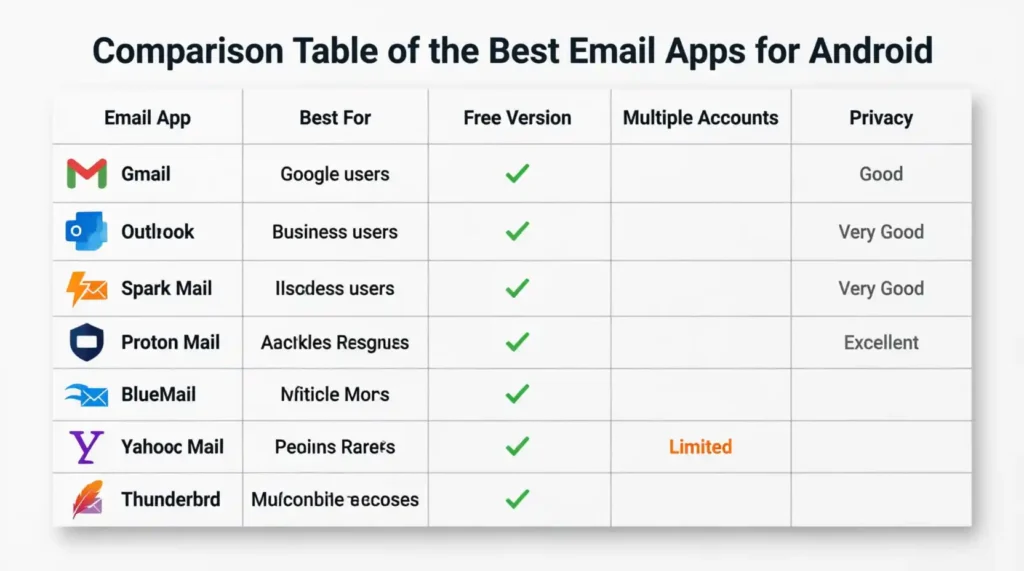
If you mainly use Google services, Gmail is the easiest and most convenient option. Business professionals who rely on calendars and Microsoft 365 will likely prefer Outlook. Spark Mail is ideal for users who want a cleaner, more organized inbox with productivity features.
If privacy is your biggest concern, Proton Mail stands out with its strong security features. For people managing several email accounts, Blue Mail provides one of the most convenient experiences. Meanwhile, Thunderbird is a great choice for users who value open-source software and greater control over their email settings.
Instead of looking for the app with the longest feature list, choose the one that fits your daily routine. A simple, reliable app that matches your needs is often the best long-term solution.
Final Verdict
There isn’t a single email app that’s perfect for everyone, but there is one that’s perfect for your needs.
For most Android users, Gmail remains the easiest all-around choice thanks to its reliability, speed, and seamless integration with Google’s services. If you need a more professional workspace, Microsoft Outlook is an excellent option. Those who value privacy should consider Proton Mail, while Spark Mail is ideal for users looking to improve productivity with smart inbox management.
Take a moment to think about how you use email every day. Whether you prioritize security, multiple accounts, or a clutter-free inbox, choosing the right app can make managing your emails faster and far less stressful.
Frequently Asked Questions
Which email is best for Android?
Gmail is the best choice for most Android users because it’s reliable, easy to use, and integrates seamlessly with Google services. However, Outlook, Spark Mail, and Proton Mail are excellent alternatives depending on your needs.
What is the safest email app for Android?
Proton Mail is widely considered one of the safest email apps for Android because it offers strong encryption and privacy-focused features that help protect your personal information.
Which is the best free email app?
Gmail is one of the best free email apps thanks to its powerful features, dependable performance, and support for multiple email accounts. Outlook and Yahoo Mail are also excellent free options.
Is the Gmail app the best choice for Android?
For most users, yes. The official Gmail app offers fast performance, excellent spam filtering, seamless Google integration, and a simple interface, making it one of the best options available for Android devices.