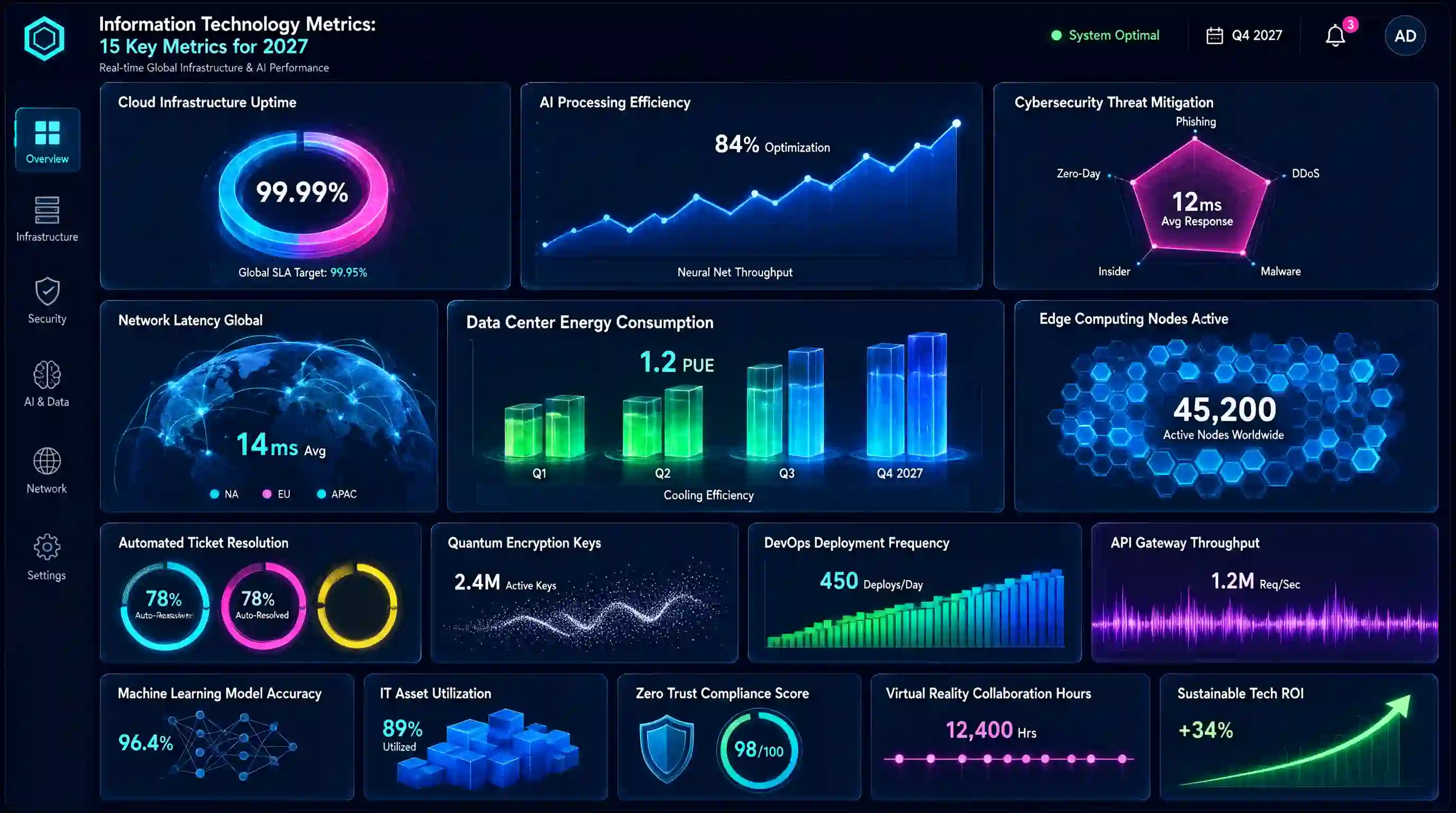
Information technology metrics become valuable. They help businesses measure system availability, IT support performance, security, infrastructure reliability, and technology costs. By tracking the right metrics, IT teams can identify problems early, improve service quality, and make smarter decisions.
In 2027, businesses must also consider growing technology demands, cybersecurity risks, cloud infrastructure, and AI-powered services. Tracking meaningful information technology metrics can help organizations understand these challenges and use their technology resources more effectively.
What Are Information Technology Metrics?
Information technology metrics are measurable values that show how well an organization’s technology systems, services, infrastructure, and Information Technology processes perform. Businesses use these measurements to evaluate reliability, efficiency, security, costs, and service quality.
information technology metrics turn technical activity into measurable information. Instead of assuming that a system performs well, a business can use actual data to identify weaknesses and monitor improvements over time.
Common Types of Information Technology Metrics
Businesses can organize information technology metrics into several categories:
- Performance metrics: Measure system speed, response time, and application performance.
- Reliability metrics: Track uptime, downtime, and failures.
- IT service desk metrics: Measure ticket resolution, support response, and user satisfaction.
- Security metrics: Monitor security incidents, patch compliance, and threat detection.
- Infrastructure metrics: Track server utilization, network performance, and resource consumption.
- Financial metrics: Measure IT spending, cost per user, and technology expenses.
These categories help IT teams select measurements that match their responsibilities and business goals. A small business may prioritize uptime, security, and Information Technology costs, while a larger organization may also need detailed service desk, infrastructure, and incident management metrics.
Information Technology Metrics vs. IT KPIs
information technology metrics and key performance indicators (KPIs) are closely related, but they serve different purposes. An Information Technology metric measures a specific activity or result, while a KPI evaluates progress toward an important business or operational objective.
For example, a company might measure its website’s uptime every month. That measurement is an Information Technology metric. If the company sets a target of maintaining at least 99.9% uptime because website availability directly affects sales, uptime also becomes a KPI for that objective.
Not every metric needs to be a KPI. Businesses may collect many technical measurements, but only a smaller group usually deserves regular attention from decision-makers.
IT Metrics vs. KPIs: Key Differences
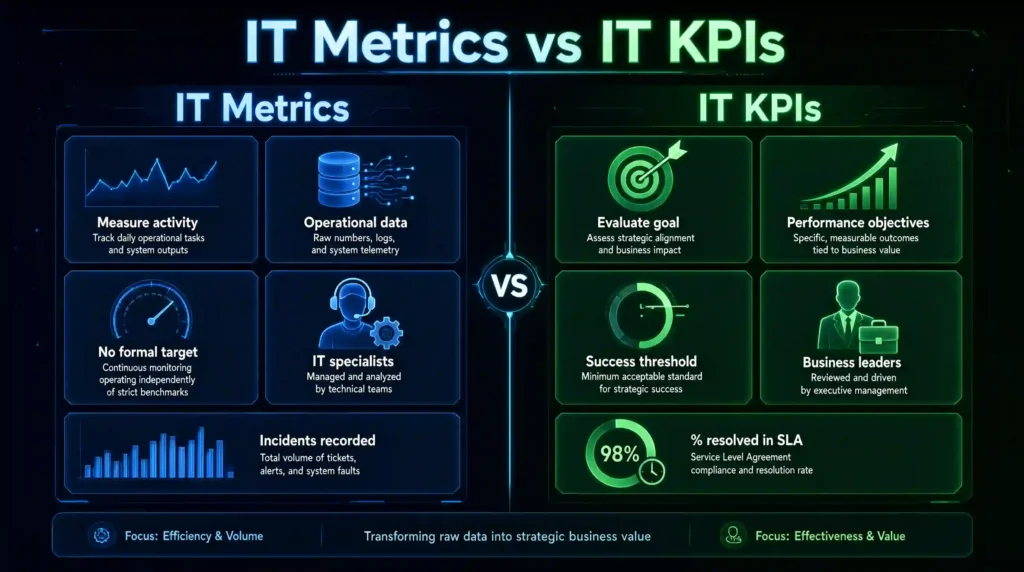
Businesses can use both measurements together. Metrics provide detailed operational information, while KPIs help determine whether that information reflects successful performance.
Why Businesses Should Track Information Technology Metrics
Tracking Information Technology metrics helps businesses replace guesswork with measurable evidence. When organizations understand how their systems and services perform, they can prioritize improvements, manage risks, and make better use of technology budgets.
- Improve System Reliability: System failures can interrupt daily operations, reduce productivity, and affect customer trust. Metrics such as uptime, application availability, and mean time between failures help teams identify reliability problems and evaluate whether improvements are working.
- Strengthen IT Security: Security metrics help organizations monitor their ability to identify incidents, maintain systems, and address known vulnerabilities. Patch management compliance and mean time to detect security incidents can reveal weaknesses that require attention.
- Control Technology Costs: IT expenses can increase through unnecessary software subscriptions, underused infrastructure, inefficient processes, and unplanned maintenance. Financial metrics help businesses understand where their budgets go and whether technology investments provide value.
- Improve User Experience: Employees and customers rely on technology to complete tasks, access services, and resolve problems. Metrics such as first contact resolution and customer satisfaction can help Information Technology teams understand whether their support services meet users’ needs.
- Make Better Business Decisions: Reliable measurements help managers decide which problems need immediate attention, where to allocate resources, and which improvements deserve investment.
15 Essential Information Technology Metrics to Track in 2027
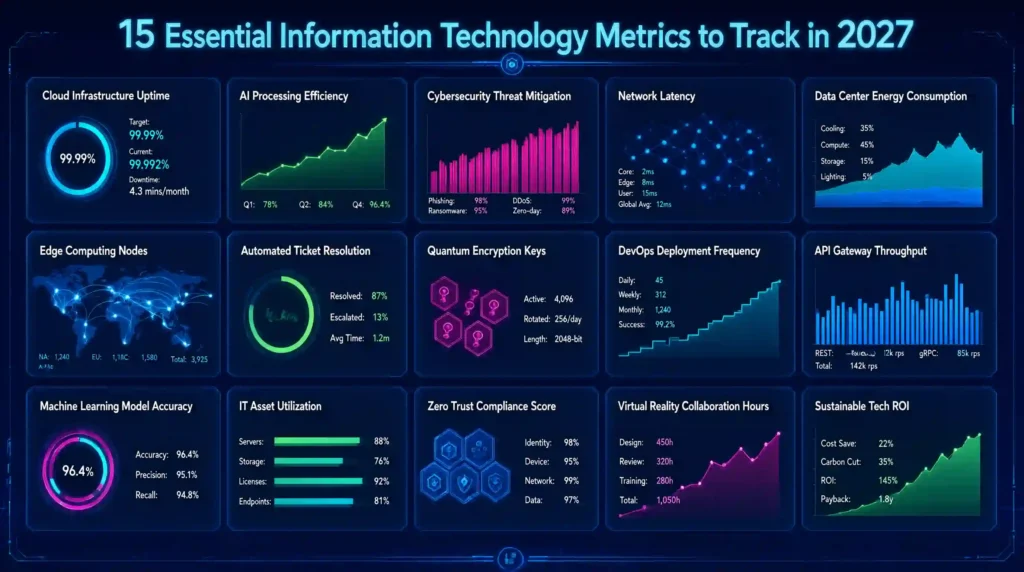
Businesses should select information technology metrics according to their operational needs, security requirements, service commitments, and financial goals. The following metrics help IT teams measure performance and identify areas that need improvement.
System Uptime: System uptime measures the percentage of scheduled time that a system remains operational and available. It is an important reliability metric for businesses that depend on websites, applications, servers, or cloud services.
System Uptime Formula: [\text{Uptime (%)}=\frac{\text{Scheduled Time}-\text{Downtime}}{\text{Scheduled Time}}\times100 ]
Calculation Example: Suppose a business schedules a system to operate for 720 hours in a 30-day month. The system experiences three hours of downtime.
- Scheduled operating time: 720 hours
- Total downtime: 3 hours
- Actual uptime: 717 hours
[ \frac{720-3}{720}\times100=99.58% ]
The system uptime is 99.58%.
Why Does System Uptime Matter?
High uptime helps businesses maintain service availability, support employees, and provide a consistent customer experience. Frequent downtime can interrupt sales, delay work, and damage customer trust.
How to Improve System Uptime
- Monitor systems continuously and configure alerts for unexpected downtime.
- Maintain servers, applications, and network equipment.
- Identify recurring failures and address their root causes.
- Test backup systems and disaster recovery procedures.
- Review uptime trends to identify recurring performance problems.
Businesses should define whether their uptime calculations include planned maintenance. They should also distinguish internal system uptime from the availability experienced by customers.
2. Mean Time to Resolve (MTTR)
Mean Time to Resolve (MTTR) measures the average time required to resolve incidents or support issues. F teams use this metric to understand how efficiently they restore normal service after a problem occurs.
Organizations sometimes use MTTR to mean mean time to repair or mean time to recover. Because these definitions can differ, businesses should document exactly what their calculations measure.
MTTR Formula: [ \text{MTTR}=\frac{\text{Total Resolution Time}}{\text{Number of Resolved Incidents}} ]
Calculation Example: An IT support team resolves 40 incidents during a reporting period. The combined time from incident reporting to resolution is 120 hours.
[ \text{MTTR}=\frac{120}{40}=3\text{ hours} ]
The team’s average resolution time is 3 hours per incident.
Why Does MTTR Matter?
A lower MTTR can indicate that teams restore services faster, reducing disruption for employees and customers. However, teams should not rush through complex issues simply to improve this number. A quick but incomplete fix can cause repeat incidents.
How to Improve MTTR
- Use a clear incident classification and prioritization process.
- Maintain accurate troubleshooting documentation.
- Give support staff access to appropriate diagnostic tools.
- Automate repetitive troubleshooting tasks where practical.
- Analyze recurring incidents to prevent the same problems from returning.
For meaningful comparisons, measure similar incident types and use consistent start and end points.
3. First Contact Resolution Rate
First Contact Resolution (FCR) measures the percentage of eligible support issues resolved during the first interaction without requiring additional contact or follow-up. It helps businesses evaluate the effectiveness of their IT service desk.
First Contact Resolution Rate Formula: [ \text{FCR (%)}=\frac{\text{Issues Resolved on First Contact}}{\text{Total Eligible Issues}}\times100 ]
Calculation Example: An Information Technology service desk receives 250 eligible support requests in one month. Agents resolve 190 of these requests during the first contact.
[ \frac{190}{250}\times100=76% ]
The first contact resolution rate is 76%.
Why Does FCR Matter?
A strong FCR rate can reduce repeat contacts, shorten resolution times, and improve employee satisfaction. It also helps teams understand whether support staff have the information, training, and tools they need.
How to Improve FCR
- Train support agents to diagnose common problems.
- Build a searchable knowledge base with clear troubleshooting steps.
- Give agents access to the systems and permissions required to resolve issues.
- Review repeat tickets and identify gaps in documentation.
- Measure resolution quality alongside FCR to avoid premature ticket closures.
Organizations should define what counts as a first contact and how they handle reopened tickets. Consistent rules make the metric more useful over time.
4. Service-Level Agreement (SLA) Compliance Rate
SLA compliance rate measures how often an Information Technology team meets the response or resolution commitments defined in its service-level agreements. These agreements may specify different targets for critical incidents, routine requests, and other support categories.
SLA Compliance Rate Formula: [ \text{SLA Compliance (%)}=\frac{\text{Eligible Cases Meeting SLA}}{\text{Total Eligible Cases}}\times100 ]
Calculation Example: An IT support team handles 400 eligible tickets during a month. It meets the applicable SLA requirements for 368 tickets.
[ \frac{368}{400}\times100=92% ]
The team’s SLA compliance rate is 92%.
Why Does SLA Compliance Matter?
This metric helps managers determine whether Information Technology services meet agreed performance standards. Low compliance may point to staffing shortages, inefficient workflows, unrealistic targets, or an increase in complex incidents.
How to Improve SLA Compliance
- Set realistic service targets based on business requirements.
- Prioritize incidents according to severity and impact.
- Configure alerts before tickets approach their SLA deadlines.
- Review missed deadlines to identify recurring causes.
- Use workload data to plan staffing and resource allocation.
When calculating compliance, apply the agreement’s rules consistently. Account for valid exclusions, service hours, and different response or resolution targets where applicable.
5. Customer Satisfaction (CSAT)
Customer Satisfaction (CSAT) measures how satisfied users are with a product, service, or support interaction. In an Information Technology environment, organizations often use CSAT surveys to evaluate help desk experiences, technical support, or internal IT services.
CSAT Formula: [ \text{CSAT (%)}=\frac{\text{Satisfied Responses}}{\text{Total Valid Responses}}\times100 ]
Calculation Example: An IT support team receives 160 valid survey responses. Of these, 136 users select one of the satisfaction ratings included in the organization’s definition of a satisfied response.
[ \frac{136}{160}\times100=85% ]
The CSAT score is 85%.
Why Does CSAT Matter?
Technical issues affect users differently. A support team may resolve tickets quickly but still provide a frustrating experience. CSAT feedback helps reveal communication problems, confusing instructions, and gaps in service quality.
How to Improve CSAT
- Communicate clearly about issue status and expected resolution times.
- Keep users informed when a problem takes longer than expected.
- Make support channels easy to access.
- Review negative feedback and identify recurring issues.
- Combine survey results with resolution time and repeat-contact data.
Businesses should keep survey questions consistent and report the response rate alongside CSAT. A satisfaction score based on a small or unrepresentative group may not reflect the experience of all users.
6. Application Availability Metrics
Application availability measures how often an application remains accessible and works as expected during its scheduled operating hours. Businesses track this metric to understand whether employees and customers can reliably use essential software.
Application Availability Formula: [ \text{Availability (%)}=\frac{\text{Scheduled Time}-\text{Downtime}}{\text{Scheduled Time}}\times100 ]
Calculation Example: Suppose a business schedules an application to run for 300 hours in a month. The application experiences six hours of downtime.
[ \frac{300-6}{300}\times100=98% ]
The application availability rate is 98%.
How to Improve Application Availability
- Monitor application errors and response times.
- Fix recurring software defects.
- Test updates before deploying them to production.
- Set up alerts for service interruptions.
- Review availability reports to identify recurring failures.
System uptime and application availability can overlap. Use system uptime to measure the availability of a system or infrastructure component, and application availability to measure access to a specific application or service.
7. Mean Time Between Failures (MTBF)
Mean Time Between Failures (MTBF) measures the average operating time between failures in a repairable system. Information Technology teams use it to evaluate reliability and identify systems that fail too frequently.
MTBF Formula: [ \text{MTBF}=\frac{\text{Total Operating Time}}{\text{Number of Failures}} ]
Calculation Example: A server operates for 720 hours during a reporting period and experiences four failures. Its total operating time, excluding downtime, is 704 hours.
[ \text{MTBF}=\frac{704}{4}=176\text{ hours} ]
The server’s MTBF is 176 operating hours per failure.
How to Improve MTBF
- Identify the root causes of repeated failures.
- Keep operating systems and applications updated.
- Replace unreliable hardware when necessary.
- Monitor system health and resource usage.
- Test changes before introducing them into production.
A higher MTBF generally indicates better reliability when teams measure comparable systems under similar conditions. Always define which failures count and use operating time consistently.
8. Network Performance Metrics
Network performance metrics help Information Technology teams evaluate how efficiently data moves between devices, servers, applications, and users. Businesses commonly monitor latency, packet loss, and bandwidth utilization to identify network bottlenecks.
Important Network Performance Measurements
Latency: Measures how long data takes to travel between two points. Network tools commonly report latency in milliseconds (ms).
Packet loss: Measures the percentage of transmitted network packets that fail to reach their destination.
[ \text{Packet Loss (%)}=\frac{\text{Packets Lost}}{\text{Packets Sent}}\times100 ]
Calculation Example: A network test sends 2,000 packets, but 20 packets never reach their destination.
[ \frac{20}{2000}\times100=1% ]
The packet loss rate is 1%.
Bandwidth utilization: Measures the proportion of available network capacity that a connection uses.
[ \text{Bandwidth Utilization (%)}=\frac{\text{Bandwidth Used}}{\text{Available Bandwidth}}\times100 ]
Calculation Example
A connection provides 500 Mbps of capacity and currently carries 350 Mbps of traffic.
[ \frac{350}{500}\times100=70% ]
The connection uses 70% of its available bandwidth.
How to Improve Network Performance
- Monitor latency and packet loss during peak usage.
- Investigate overloaded network links.
- Review Wi-Fi coverage and network equipment.
- Prioritize critical business applications where appropriate.
- Compare performance across locations and time periods.
No single network metric tells the whole story. High bandwidth utilization does not automatically mean a network performs poorly, so teams should review latency, packet loss, capacity, and user experience together.
9. Server and Infrastructure Utilization Metrics
Server and infrastructure utilization metrics show how much computing capacity an organization uses. Information Technology teams monitor CPU, memory, and disk utilization to identify resource shortages, waste, and potential performance bottlenecks.
Resource Utilization Formula: [ \text{Utilization (%)}=\frac{\text{Resource Used}}{\text{Total Available Capacity}}\times100 ]
Calculation Example: A server has 64 GB of available memory and currently uses 48 GB.
[ \frac{48}{64}\times100=75% ]
The server’s memory utilization is 75%.
IT teams can apply similar calculations to CPU capacity and storage usage, although monitoring tools may calculate CPU utilization differently depending on the environment.
Why Infrastructure Utilization Matters
Low utilization may indicate unused capacity or an opportunity to consolidate resources. Consistently high utilization can signal a bottleneck, especially when it coincides with slow applications, increased latency, or memory pressure.
How to Improve Infrastructure Utilization
- Set alerts for sustained high resource usage.
- Review CPU, memory, and storage trends.
- Remove unnecessary services and unused resources.
- Scale infrastructure when demand justifies the cost.
- Plan capacity before predictable periods of high demand.
Avoid setting one universal utilization target for every system. The appropriate threshold depends on workload, service requirements, and how much spare capacity the business needs.
10. IT Incident Rate
IT incident rate measures how frequently technology incidents occur during a defined period. Organizations use it to track recurring service disruptions, identify problem areas, and evaluate whether preventive improvements reduce incidents over time.
Businesses should define the incident types they count and select a consistent measurement period. They may track all incidents or focus on a specific group, such as high-priority incidents affecting critical services.
IT Incident Rate Formula: For a straightforward monthly incident count:
[ \text{Monthly Incident Count}=\text{Total Qualifying Incidents During the Month} ]
For a normalized rate per 100 supported users:
[ \text{Incident Rate}=\frac{\text{Qualifying Incidents}}{\text{Average Supported Users}}\times100 ]
Calculation Example: An organization records 45 qualifying IT incidents in one month and supports an average of 300 users.
[ \frac{45}{300}\times100=15 ]
The organization records 15 incidents per 100 supported users per month.
How to ImproveInformation Technology Incident Rate
- Group incidents by cause, service, and severity.
- Investigate recurring incidents instead of treating every occurrence separately.
- Strengthen monitoring and preventive maintenance.
- Improve change management and testing procedures.
- Track incident trends after implementing fixes.
A higher incident count does not always mean performance has worsened. Better monitoring or more complete reporting can reveal incidents that teams previously missed. Compare consistent data and review incident severity alongside the total count.
11. IT Security Metrics: Mean Time to Detect (MTTD)
Mean Time to Detect (MTTD) measures how long your Information Technology team takes to discover a security incident or technical problem. A lower MTTD helps your team respond before an issue causes serious damage.
Formula: MTTD = Total Time Taken to Detect Incidents ÷ Number of Incidents Detected
Calculation Example: Suppose your IT team detects 30 incidents during a reporting period. It takes a combined 150 minutes to detect them.
MTTD = 150 ÷ 30 = 5 minutes
Your average detection time is five minutes per incident.
Why This IT Metric Matters
A shorter MTTD helps your team identify suspicious activity, system failures, and performance problems sooner. Early detection can reduce downtime and limit the impact of security threats.
How to Improve MTTD
- Use security monitoring and alerting tools.
- Review system logs regularly.
- Set up alerts for unusual activity.
- Train IT staff to recognize warning signs.
- Investigate recurring incidents to identify detection gaps.
12. IT Security Metrics: Patch Management Compliance Rate
Patch management compliance rate measures the percentage of systems that receive required security patches within your organization’s deadline. Regular patching helps close known vulnerabilities and keeps software up to date.
Formula: Patch Compliance Rate = (Systems Patched by the Deadline ÷ Total Systems Requiring Patches) × 100
Calculation Example: Suppose your organization needs to patch 500 systems. Your IT team patches 475 systems before the deadline.
Patch Compliance Rate = (475 ÷ 500) × 100 = 95%
Your patch compliance rate is 95%, while 25 systems still need attention.
Why This information technology metrics Matters
Outdated software can expose your organization to known security vulnerabilities. Tracking patch compliance helps your Information Technology team identify unpatched systems and prioritize security work.
How to Improve Patch Compliance
- Maintain an accurate inventory of devices and software.
- Prioritize critical security patches.
- Use automated patch management tools where practical.
- Monitor systems that miss patching deadlines.
- Test important updates before broad deployment.
13. IT Recovery Metrics: Backup Success Rate, RTO, and RPO
Backup and recovery metrics show whether your organization can protect its data and restore services after an outage, cyberattack, or accidental deletion. Three useful measures are backup success rate, Recovery Time Objective (RTO), and Recovery Point Objective (RPO).
Backup Success Rate
Backup success rate measures how many scheduled backup jobs finish successfully.
Formula: Backup Success Rate = (Successful Backup Jobs ÷ Total Scheduled Backup Jobs) × 100
Calculation Example: Your organization schedules 200 backup jobs in one month, and 194 finish successfully.
Backup Success Rate = (194 ÷ 200) × 100 = 97%
This means 97% of scheduled backup jobs succeeded. Your team should investigate the six failed jobs.
Recovery Time Objective (RTO)
RTO defines the maximum acceptable time your organization sets for restoring a service after disruption.
Example: If your business sets an RTO of four hours, your recovery plan aims to restore the affected service within four hours.
Recovery Point Objective (RPO)
RPO defines the maximum amount of data loss your organization can tolerate, measured in time.
Example: If your RPO is 30 minutes, your recovery plan aims to limit data loss to no more than 30 minutes of updates.
- Why These IT Metrics Matter: Successful backups and clear recovery targets help your business prepare for unexpected events. However, a successful backup does not guarantee recovery. Your team should test whether it can restore data and meet its RTO and RPO targets.
How to Improve Backup and Recovery Performance
- Monitor failed and incomplete backup jobs.
- Store important backups separately from production systems.
- Protect backups against unauthorized changes and deletion.
- Test data restoration on a regular schedule.
- Review RTO and RPO targets according to business needs.
14. IT Cost Metrics: Cost per User
Cost per user measures how much your organization spends on Information Technology operations for each supported user during a specific period. It helps you understand technology costs and compare spending over time.
Formula:
Cost per User = Total IT Operating Costs ÷ Number of Supported Users
Calculation Example:
Suppose your organization spends $24,000 on IT operations in one month and supports 300 users.
Cost per User = $24,000 ÷ 300 = $80 per user per month
Your organization spends an average of $80 per supported user each month.
- Why This IT Metric Matters: Cost per user helps you evaluate Information Technology spending, plan budgets, and identify opportunities to improve efficiency. However, a lower cost does not always mean better performance. Your team should also consider service quality, security, and user satisfaction.
How to Improve Cost per User
- Review software licenses and remove unused subscriptions.
- Track hardware, support, cloud, and maintenance costs.
- Standardize devices and software where practical.
- Automate repetitive IT tasks.
- Compare costs alongside service quality and reliability.
15. IT Cost Metrics: IT Spend as a Percentage of Revenue
IT spend as a percentage of revenue measures how much of your organization’s revenue goes toward information technology. This metric helps business leaders evaluate technology investment in relation to business size and financial performance.
Formula:
IT Spend as a Percentage of Revenue = (Total IT Expenditure ÷ Total Revenue) × 100
Calculation Example:
Suppose your business spends $120,000 on IT during a reporting period and earns $2,000,000 in revenue during the same period.
IT Spend as a Percentage of Revenue = ($120,000 ÷ $2,000,000) × 100 = 6%
Your business spends 6% of its revenue on IT.
- Why This Information Technology Metric Matters: This metric helps leaders understand the scale of IT investment and plan future budgets. It can also support comparisons across reporting periods, provided your organization uses consistent definitions for Information Technology expenditure and revenue.
How to Manage Information Technology Spending Effectively
- Set a clear IT budget based on business goals.
- Track recurring costs and unexpected expenses.
- Review the value of major technology investments.
- Compare spending trends across consistent reporting periods.
- Balance cost control with security, reliability, and business needs.
How to Choose Information Technology Metrics for Your Business
You do not need to track every information technology metrics at once. Choose the measures that help your team solve problems, improve services, and support business goals.
- Align Information Technology Metrics With Business Goals: Start by identifying your main business priorities. If your business depends on online services, focus on system uptime, application availability, and incident resolution. If security is your priority, track MTTD, patch compliance, and backup performance.
- Set a Clear Baseline and Target: Record your current performance before setting improvement targets. For example, if your system uptime is 99.5%, set a realistic target based on your service requirements and resources.
- Assign Ownership: Give each metric an owner who reviews results and takes action when performance falls below the target. Clear ownership helps your team avoid missed alerts and delayed improvements.
- Use Reliable Data Sources: Collect data from monitoring tools, help desk software, security platforms, backup systems, and financial records. Use consistent definitions and reporting periods so your team can compare results accurately.
- Review Metrics Regularly: Review critical security and availability metrics frequently. Evaluate monthly trends for costs, user satisfaction, and service performance. Adjust the review schedule according to each metric’s importance.
Best Practices for Tracking Information Technology Metrics
Use these practices to turn raw numbers into useful decisions.
- Focus on meaningful metrics: Track measures that connect directly to service quality, security, costs, or business outcomes.
- Create a simple dashboard: Display current results, targets, and trends in one place.
- Compare results over time: Look for recurring problems instead of reacting to one unusual result.
- Investigate the cause: When a metric falls below its target, identify the underlying problem before choosing a solution.
- Combine technical and business measures: Review uptime alongside user satisfaction and cost to understand the full picture.
- Protect data quality: Check calculations, reporting periods, and data sources regularly.
- Communicate results clearly: Share important trends and recommended actions with the people responsible for decisions.
Common Mistakes in Measuring Information Technology Metrics
Even useful information technology metrics can lead to poor decisions when teams interpret them incorrectly. Avoid these common mistakes.
- Tracking Too Many Metrics: A dashboard full of numbers can distract your team from important issues. Start with a focused set of measures and expand it when you identify a clear need.
- Measuring Activity Instead of Outcomes: Counting completed tickets or installed updates does not always show whether your IT service improved. Pair activity measures with outcomes such as resolution time, compliance, reliability, and user satisfaction.
- Ignoring Business Context: A high IT cost does not always mean poor efficiency, and a low incident count does not always mean strong security. Consider business size, risk, service complexity, and user needs when interpreting results.
- Using Inconsistent Definitions: Different teams may calculate downtime, resolution time, or IT expenditure differently. Document each metric’s formula, data source, owner, and reporting period to support fair comparisons.
- Collecting Data Without Taking Action: Tracking a problem does not solve it. Assign follow-up actions, set deadlines, and review whether the changes improve performance.
Frequently Asked Questions About Information Technology Metrics
1. What Are Information Technology Metrics?
Information technology metrics are measurable values that show how well an organization’s technology, systems, services, and IT processes perform. Examples include system uptime, mean time to resolve incidents (MTTR), patch compliance, and cost per user.
2. What Is the Difference Between Information Technology Metrics and IT KPIs?
Information technology metrics measure specific aspects of technology performance, while Information technology metric key performance indicators (KPIs) measure progress toward important goals. For example, your team can measure every support ticket’s resolution time, but average resolution time may become a KPI when it directly supports a service improvement target.
3. What Are the Most Important Information Technology Metrics to Track in 2027?
The right metrics depend on your organization’s goals. Many businesses should consider system uptime, MTTR, first contact resolution rate, SLA compliance, CSAT, MTTD, patch compliance, backup success rate, cost per user, and IT spend as a percentage of revenue.
4. How Often Should Businesses Review Information Technology Metrics?
Review critical security alerts and system availability continuously or daily, depending on the service. Review service desk performance weekly or monthly, and evaluate IT costs and spending trends monthly or quarterly. Choose a schedule that helps your team respond quickly and make informed decisions.
5. How Can Small Businesses Track Information Technology Performance?
Small businesses can start with monitoring dashboards, help desk reports, backup logs, security tools, and financial records. Select a few useful metrics, record a baseline, set targets, and review progress regularly. Your team can expand its dashboard as your technology needs grow.
6. Which Tools Can Help Track Information Technology Metrics?
The right tools depend on the metrics you want to measure. Infrastructure monitoring tools track availability and resource usage, help desk platforms measure ticket performance, security tools report detection and patch compliance, and backup software records backup results. Business intelligence tools can combine data from multiple sources into a dashboard.
Conclusion: Use IT Metrics to Make Better Business Decisions
Information technology metrics help businesses understand system reliability, Information technology metric service quality, cybersecurity, recovery readiness, and technology spending. When you track the right measures, you can identify problems earlier, use resources more effectively, and make better technology decisions.
Start with a small group of metrics that align with your business goals. Define each formula clearly, assign ownership, set realistic targets, and review results consistently. Most importantly, use what you learn to improve performance rather than simply collecting numbers.